Switching to cloud-based tax software sounds perfect during the demo. You get to work from anywhere, access files from home, and stop worrying about local server backups. But once the season starts, reality puts those promises to the test.
In practice, your staff may experience lags during peak hours. Employees may log in to sensitive databases from unsecured home networks. And managing a team across different locations could feel uncoordinated.
The switch itself doesn’t automatically make your office efficient. If you treat the cloud like your old desktop setup, you’ll end up with a slower office and a serious data security risk. The following best practices can help your team work faster, stay organized, and protect sensitive client data.
Set Up Access Controls Before You Need Them
Cloud software puts client data within reach from any device with an internet connection. This widespread accessibility also creates an immediate security hazard if you haven’t restricted who can access what. Without strict access controls, a single weak password exposes your entire client base to a data breach.
Start with role-based permissions. Not every staff member needs access to every client file. A front-desk employee handling intake doesn’t need the same level of access as a preparer reviewing complex corporate returns. Setting permissions by role ensures each person sees only what their job requires.
This isn’t about distrust. It’s about limiting your exposure if an individual login gets compromised.
You must also enforce multi-factor authentication (MFA) across your entire team. The IRS mandates MFA for all professional tax software users to protect taxpayer data from credential theft. Passwords alone aren’t enough because employees reuse, write down, or lose them. Adding a required verification code sent to an app or phone closes that security gap without disrupting a normal workday.
Review these settings at least once a year, especially after seasonal staff changes. A former employee with active login credentials is an operational risk that’s easy to overlook until it becomes a crisis. A quick user audit at the start of each tax season catches these leftover accounts before they become a problem.
Replace Risky Email Habits With Built-In Tools
Regular email feels convenient, but it wasn’t designed to handle sensitive client data. A single unencrypted attachment increases the risk of exposing sensitive client information. A tax document sent to the wrong recipient can result in a data breach and violate IRS security guidelines.
The best professional tax software includes an integrated client portal and secure messaging tools built directly into the platform. Instead of relying on a regular desktop inbox, you can direct clients to upload files straight into a protected, encrypted cloud folder. This setup concentrates your communication into a single channel, keeping sensitive financial data entirely out of public email servers.
Making this switch requires establishing strict boundaries for your clients. Clients accustomed to emailing a quick question will need firm reminders to use the portal instead. A brief message at the start of onboarding, explaining that you don’t accept tax documents via regular email for security reasons, usually prevents this habit.
An integrated portal links every document and message directly to the client’s file automatically. Your staff won’t spend valuable billing hours digging through cluttered inboxes to find an attachment from three weeks ago. Everything lives in one place, organized by client, exactly where you need it.
Don’t Ignore the Small Things That Keep You Compliant
Cloud platforms update more often than traditional desktop software. Some updates include changes tied to new tax requirements. Others improve security, performance, or reliability. Install updates promptly so your team is always working with the latest features and requirements.
Set a habit of checking for software updates regularly, especially in the weeks leading up to tax season. Many of these updates reflect requirements that affect how returns are filed, so staying current isn’t optional housekeeping. It’s part of keeping every return compliant from the start.
Electronically signed tax documents deserve the same attention. When a client signs a document electronically, you’re required to handle it in a manner that meets Internal Revenue Service (IRS) requirements. Cloud platforms with built-in e-signature tools typically handle this automatically. However, it’s worth confirming your records are complete before you need them. A quick check now is far easier than trying to track down a missing signature later in the season.
None of this requires becoming an expert in IRS technical guidance. It requires paying attention to your software, reviewing your records regularly, and building those checks into your normal workflow.
Build Workflows That Hold Up During Peak Season
The real test of any cloud system comes during the busiest weeks of the season. Return volume spikes, leaving zero time to figure things out as you go. The workflows you build in the slower months are what carry your practice through that stretch.
Cloud software allows multiple preparers to work on different parts of the same return at the same time. One person handles data entry, another reviews complex items, and a third signs off before filing. Setting up this rotation in advance ensures your team knows their roles when volume picks up.
Build a quality control step into your process before any return goes out. A second set of eyes catches formatting errors that the original preparer might miss under pressure. During peak weeks, this step can feel like a bottleneck. In practice, it prevents filing mistakes that cost far more time to fix later through amended returns.
Think through how your office handles a spike day before it happens. What happens when ten complex corporate returns arrive at once? Who picks up the overflow data entry? A workflow that only works when things are calm isn’t really a workflow. Building it to handle pressure is what makes it useful.
Train Your Team Before the Pressure Hits
Often, cloud software includes features that go unused because users never learn they exist. Training isn’t a one-time task during onboarding. Revisit it every season, especially as features change and new staff join.
Make sure every team member understands not only how to use the software but also why certain steps matter. A staff member who understands why a second login step exists is less likely to find workarounds that defeat its purpose. Someone who knows why client documents go through the portal instead of email is less likely to slip back into old habits when they’re in a hurry.
Walk new hires through a full return from start to finish before they handle client work on their own. Include the security steps, not just the data entry. Treating security training as a separate add-on sends the message that it’s less important than the rest of the process.
Set aside time before each season for a refresher, even for experienced staff. Software updates change small things from year to year, and a quick walk-through catches gaps before they turn into mistakes during a busy week.
Why These Habits Make the Difference
Cloud-based tax software gives your office real advantages. Flexibility, collaboration, and a level of organization that’s hard to match with paper files or desktop-only systems. But your team’s processes determine how much value you get from them.
Offices that take the time to set up access controls, replace risky email habits, stay current on compliance, build workflows for peak weeks, and train their staff thoroughly get more out of their cloud platform than offices that treat it as a simple software swap.
Video

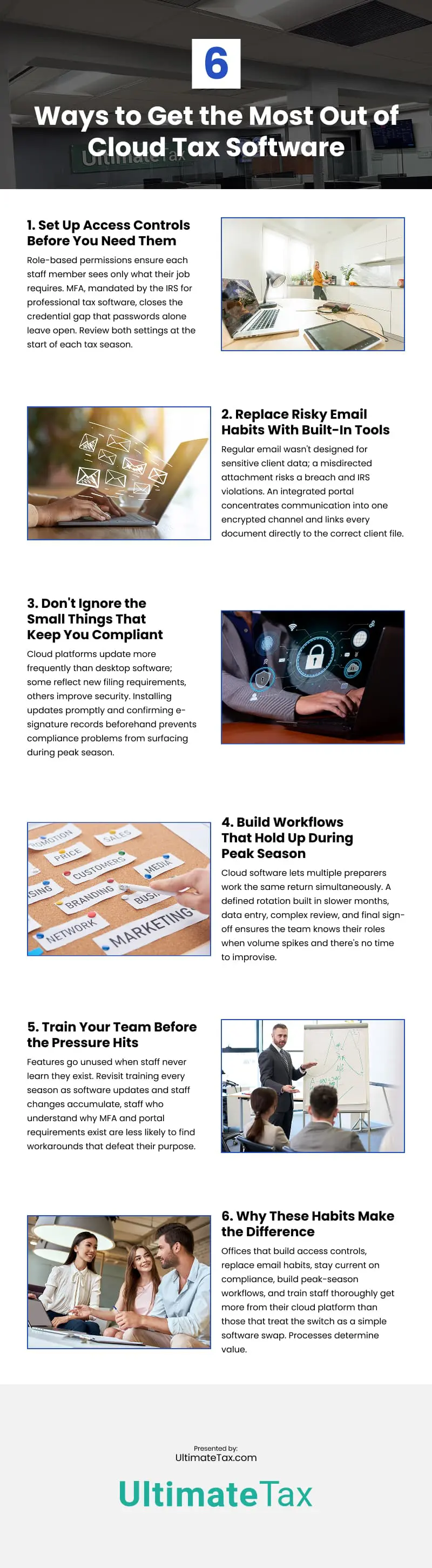
Infographic