Chasing down paper signatures is one of those tasks that eats up more time than it should. One client forgets to sign Form 8879. Another leaves it on the kitchen counter for three days. Someone else drops it off with a signature in the wrong place. Meanwhile, completed returns keep piling up in your filing queue.
E-signatures and secure client portals help solve that specific bottleneck. These platforms let clients sign and upload documents securely from anywhere, so you can move returns through your filing queue without the delays that come with paper documents.
What These Tools Do for Your Practice
E-signatures let clients sign online so they don’t have to print, scan, or drive down to your office. At the same time, secure client portals give them a private space to upload files, review drafts, and message your team.
Instead of waiting days for a signed form to make its way back to your office, you send it digitally and get it back in hours. Rather than sorting through regular emails with sensitive attachments, you have a protected space accessible only to you and the client.
Paper documents can easily get misplaced. Clients can drop off forms with missing signatures or overlooked information. Attachments can go missing or end up in the wrong file.
The right e-file software for tax professionals creates a clear record of what was sent, what was signed, and when. That audit trail makes it easy to see where each return stands without having to track anyone down, while reducing the risks of misplaced paperwork and missing documents.
It also cuts the security risks that come with sending sensitive information through regular email. A secure portal is built for that kind of data. A regular inbox isn’t.
Choosing Tools That Meet IRS Standards
Not every e-signature product is the right fit for tax preparation. The IRS has strict rules about collecting client signatures for electronic filings. The platform you use must meet those specific guidelines.
When comparing professional tax software, check whether it includes compliant e-signature features built directly into the filing workflow. A separate add-on for signatures introduces unnecessary operational steps. A product that handles both filing and signatures in one place cuts the time between receiving a signature and submitting the return.
Ensure the platform can verify a signer’s identity through Knowledge-Based Authentication (KBA) before they sign. This step protects both the client and your practice. Modern platforms handle this verification automatically inside the client’s portal dashboard.
Consider ease of use from the client’s side, too. A platform that’s easy for you to operate but confusing for clients creates a new problem. The best e-signature tools guide clients through the signing process clearly, so you aren’t fielding calls about how to open a document.
Getting Your Client Portal Ready
Setting up your portal correctly determines whether your clients actually use it or fall back on faxes and dropped-off envelopes. The goal is to eliminate administrative bottlenecks, especially during peak season.
Start by making the login process simple. Every extra step or password rule pushes a client closer to giving up. Send a brief introductory email with clear, three-step instructions before their first login. This upfront communication cuts down on troubleshooting calls from clients who aren’t comfortable with new technology.
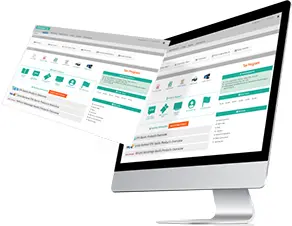
Once clients log in, keep the layout clean. They should immediately see a button to upload their W-2s and 1099s, a section to review drafts, and a built-in signing window. If a client has to hunt through multiple pages to sign their return, they’ll close the tab and call your office instead.
Regular email isn’t built for sensitive financial data. A clean, well-organized portal replaces those risky inbox exchanges. You get a protected channel that meets the exact security standards tax preparers are expected to follow.
Templates That Save Time Every Season
Reusable templates pay off fastest. Instead of building a new signature request or engagement letter from scratch every year, create it once and use it repeatedly.
Most clients receive the same core documents at the start of an engagement, such as signature authorization forms, engagement letters, and document checklists. Turning these into templates allows you to send a full onboarding package in minutes rather than hours.
Keep the language in your templates plain. Clients are more likely to skim than read every word. A wall of legal text leads to more phone calls than signatures. Short, clear instructions on each form help clients move through the process faster, which keeps your filing queue moving too.
Review your templates at the start of each year before you send them out. Tax rules change, and your documents should match the new laws. A quick review each year takes far less time than updating a template mid-season when returns are already coming in.
Making the Switch Work for Your Clients
The tools are only useful if your clients actually use them. For most people, a short explanation before they log in for the first time prevents confusion. In that brief message, cover what they’ll be asked to do and how to reach you if they encounter an issue. A few clear sentences about what the portal is for and how to sign in are enough. Some clients will adapt to it immediately, others will need a nudge.
The most secure portal in the world won’t save time if clients avoid using it. Success comes from choosing software that meets IRS requirements, making it easy to navigate, and introducing it in a way that helps clients feel comfortable using it from the first login. When those pieces come together, signatures come back faster, documents stay organized, and completed returns spend less time waiting in your filing queue.
Video