Paperwork chaos rarely starts with one big mistake. A client emails a W-2 as a photo, another drops off a folder of receipts, and you file a few scanned forms somewhere temporarily that you never revisit. Before long, you are buried in scattered emails and disorganized digital files on top of an already demanding workload.
When tax season peaks, that disorder pulls your attention away from the work that matters. Preparation time shrinks because document retrieval expands, and errors creep in when you can’t easily locate client information fragmented across inboxes and folders.
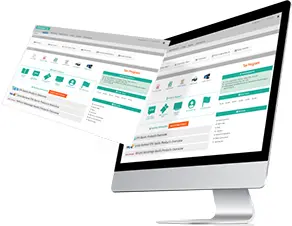
Preparer tax software replaces that fragmentation with a single, structured workflow. Every document ties back to the client record, and your process stays intact from the first intake to the final submission.
Why Paperwork Feels So Overwhelming During Peak Season
Tax preparation comes with a steady stream of documents and follow-ups that all need somewhere to live. When that information spreads across inboxes and physical files, small gaps turn into constant interruptions.
Paper slows you down because you sort, scan, and file every document before you can do anything with it. Email creates its own version of that problem, burying attachments in threads and giving clients no clear place to submit what you need.
A digital workflow puts you in front of that chaos rather than behind it. It gives your process a structure that holds up even at peak volume.
Centralized Client Records Keep Everything in One Place
One of the biggest benefits of professional tax software is centralized client records. When documents, notes, and return data reside inside a single client profile, you stop wasting time searching across folders and inboxes. A complete picture of each client is always within reach, and nothing requires a second trip to find.
Centralization also supports consistency year to year. When you pull up a returning client, you can access prior-year information, compare changes, and confirm carryforward items without digging through archives. You save time and reduce rework. It also helps you answer client questions faster because you can see the full picture.
A centralized system supports collaboration, too. If you work with staff, everyone has access to the same client record, which reduces miscommunication and duplicate work.
Secure Digital Document Handling Replaces Paper Clutter
Paper feels manageable until it piles up. Once it does, misfiled documents, missing pages, and sensitive information left on desks or printers all become problems that compound the busier your season gets.
A secure portal keeps files tied to the client and organized from the start. Instead of receiving attachments through email, you guide clients to submit documents through a consistent channel. That reduces lost files and protects sensitive information.
Digital handling also tightens your turnaround. You review documents, identify gaps, and press forward without waiting for physical drop-offs.
Searchable Client Files Save You Hours Over a Season
Search is one of the most underrated organizational tools. When your files are searchable, you spend less time hunting. Instead of opening dozens of PDFs or scrolling through email threads, you find what you need quickly and move on.
Searchable systems also support better review. You can confirm details, verify forms, and check prior-year entries without pulling paper folders. When clients ask questions, you can easily access the relevant information.
This matters most when you’re under pressure. During the busy season, every small delay stacks up. Searchability keeps your workflow moving and helps you protect your focus.
Built-In E-Signatures Reduce Printing, Scanning, and Delays
You probably know that signatures slow things down when clients are busy or hard to reach. Add printing and scanning into the mix, and they become one of the more frustrating parts of an otherwise straightforward process.
Built-in e-signatures take most of that friction away. You send the document, and the client signs from wherever they are. The signed copy attaches to their record automatically.
Clients tend to appreciate the convenience, too. They sign documents faster, and your office avoids the last-minute scrambles that come with paper-based authorization.
Automatic Data Carryforward Reduces Re-Entry and Rework
A lot of paperwork stress comes from repeating work you already did last year. Prior-year client details, carryforward amounts, and recurring form data all have to go somewhere. Rebuilding them manually every season costs time and invites errors.
Professional tax software that supports automatic data carryforward gives you a running start on each return. You still review and confirm accuracy, but you skip the re-entry entirely.
That continuity also improves consistency year to year. Software that maintains prior-year data makes discrepancies easier to spot, and corrections take less time to work through.
Organized Workflows Help You Track Status and Next Steps
Paperwork chaos often hides deeper problems, such as unclear status and missing approvals that nobody has flagged yet. A return might be prepared but stuck waiting on a signature. Documents might be in hand but attached to the wrong record.
Software-supported workflows give you a clear picture of where every return stands. You can see whether a file is in intake, prep, review, or ready for filing without having to ask around.
That visibility also helps you run a more predictable office. When you understand your pipeline, you can prioritize work and address gaps before they turn into last-minute pressure.
How Digital Organization Supports Compliance and Client Trust
Organization and compliance are more connected than they might seem. Scattered records make it difficult to prove responsible handling of taxpayer data. A structured system provides the documentation and access controls that consistently support that standard.
Clients pick up on how organized your practice is, even when you do not point it out. When you answer questions quickly and keep their information in order, your practice earns a reputation for reliability.
A digital system makes that level of consistency easier to maintain, even during the weeks when your workload is at its peak.
Start Reducing Paperwork Chaos
If your office feels buried, you do not have to change everything at once. Starting with downloadable tax software that centralizes your documents and client records is often enough to see an immediate difference. Most offices feel the impact first in document intake and file organization.
These simple shifts make a noticeable difference early on:
- Share documents via a single secure method instead of email.
- Utilize consistent naming and storage rules for client files.
- Keep signed forms attached to the client record through e-signatures.
- Rely on carryforward tools to reduce repeat data entry.
Small changes reduce clutter quickly. Once you see progress, expanding the system becomes much more manageable.
Video

Infographic
Paperwork chaos in tax preparation builds gradually from scattered emails to misplaced documents and repetitive data entry. This infographic highlights how tax software streamlines workflows and keeps paperwork organized, especially during peak season.