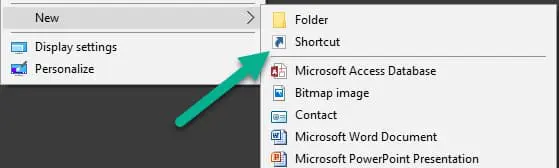
To do this you can right-click a blank spot on your desktop screen and select New -> Shortcut from the pop-up menu.
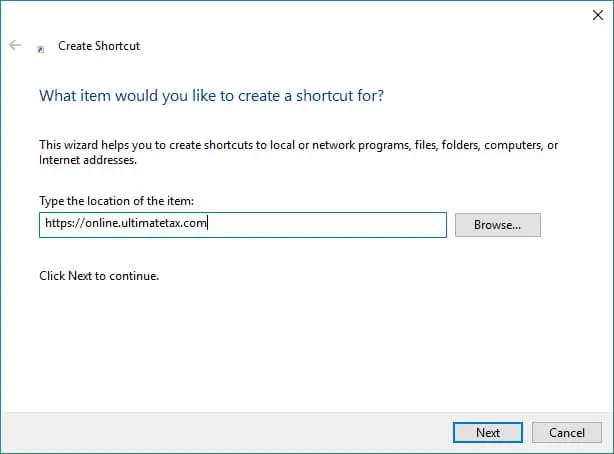
Now you will enter the location, in this case it will be the website https://ultimatetax.com/online/ and click Next.
In the next screen you will name the shortcut, we suggest “UltimateTax Online”. Now you can click this shortcut to quickly reach your tax preparation software!